Cutting a YouTube video takes about as long as watching the clip twice. You copy the link, mark where the section starts and ends on YT Video Cutter, and download that section as its own file. Here is each step, the differences on phones, and fixes for the problems that come up most.
Before you start
Make sure the video is public and that you know roughly where your clip begins. On a computer there's a shortcut for the second part: pause at the right moment, right-click the player and choose "Copy video URL at current time". The number after t= in that link is your start time in seconds. On a phone, note the time on the progress bar.
On a computer
1. Copy the video link
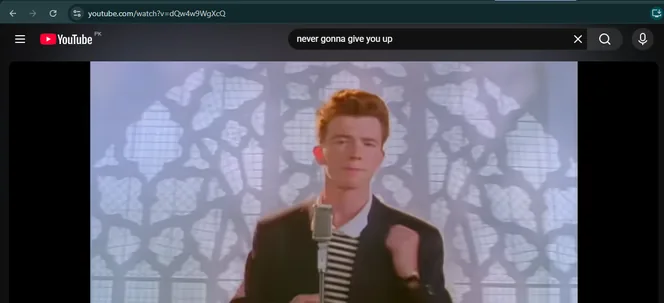
Open the video on YouTube and copy the address from the browser bar. Normal watch links, short youtu.be links, Shorts links and youtube.com/live links of finished streams all work.
2. Paste it into the cutter
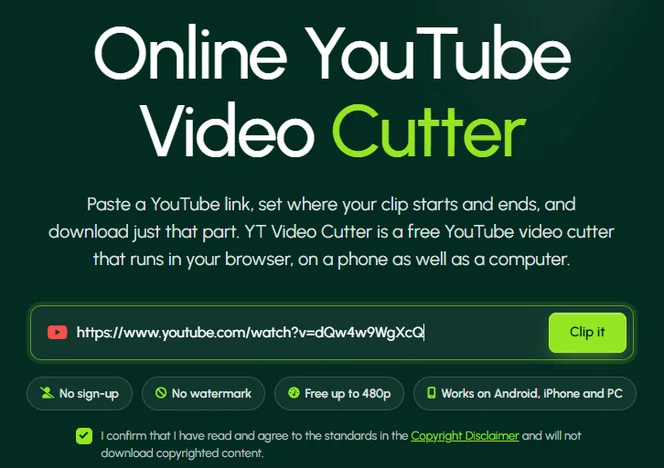
Go to the YT Video Cutter homepage, paste the link into the box and press Clip it. The video loads in a preview player, along with its length and the qualities it was uploaded in.
3. Set the start and end time
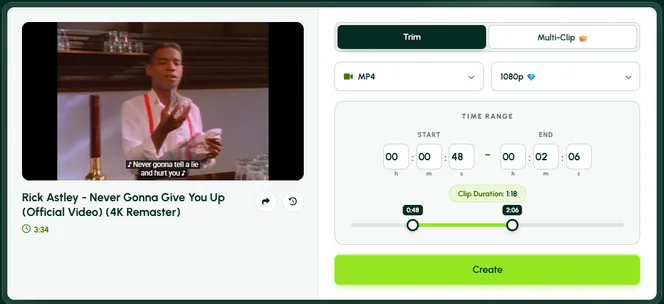
Drag the two handles on the timeline until the highlighted part covers your clip. For an exact cut, type the times instead, for example 1:02:15 to 1:03:40 for a section of a long stream. Play the preview before you go on.
Leave half a second on either side. A clip that starts mid-word sounds cut off, and trimming a little extra later is easier than cutting the video again.
4. Choose format and quality
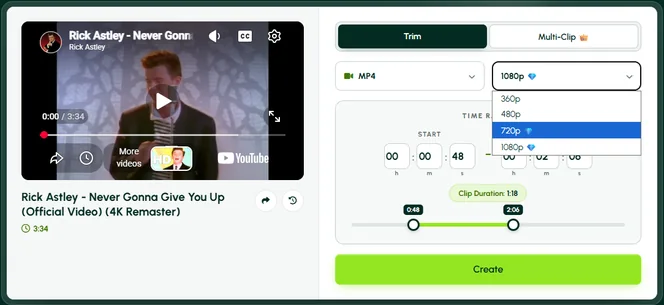
MP4 is the safe choice for phones, editing apps and social media. Pick an audio format such as M4A only if you want the sound without the picture.
Free clips go up to 480p. Premium goes up to 1080p, as long as the original video was uploaded at that quality.
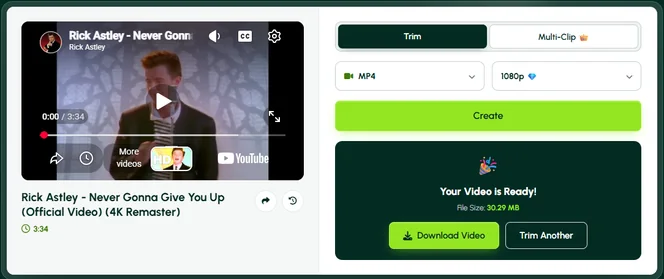
5. Create and download
Press Create and watch the progress bar. When the clip is ready, press Download.
Don't wait too long to download it. Free clips are deleted from our server after 10 minutes and Premium clips after 45.
On Android
- In the YouTube app, open the video, tap Share and choose Copy link.
- Open Chrome, go to trim.ytvideocutter.com and paste the link.
- Follow steps 3 to 5 above. On a small screen, typing the times is easier than dragging the handles.
The clip goes to your Downloads folder. Most gallery apps show it there or in a Downloads album.
On iPhone or iPad
- In the YouTube app, tap Share, then Copy link.
- Open Safari, go to trim.ytvideocutter.com and paste the link.
- Follow steps 3 to 5 above and choose MP4.
Safari saves the clip in the Files app, under Downloads. To move it to Photos, open the file, tap the share icon and choose Save Video. The Photos app won't import WebM, which is why MP4 matters on Apple devices.
Cut several parts of one video (Multi-Clip)
Need three highlights from the same stream? Open the Multi-Clip tab, add a start and end time for each section, and press Create once. All the clips are processed together and you download them in one go. Multi-Clip is a Premium feature; on the free plan, cut each part separately.
If something goes wrong
| Problem | What to do |
|---|---|
| The video won't load | Check that it's public. Private, members-only, age-restricted and removed videos can't be cut, and some are blocked in certain countries. |
| Processing seems stuck | Long or high-quality clips take longer. Wait a few minutes; if nothing changes, refresh and try once more. |
| The file won't open on iPhone | You probably chose WebM. Cut it again as MP4. |
| The clip starts a second too late | Move the start handle back a little, or type an earlier time, and create it again. |
| 720p or 1080p is missing | Either the original upload is lower quality, or you're on the free plan. |
Still stuck? Contact us and include the video link.
Questions people ask
Can I remove a part from the middle and keep the rest?
Not in one step. The cutter keeps one section per clip. Cut the part before and the part after as two clips, then join them in any editing app.
How do I trim a video I uploaded to my own channel?
Use YouTube Studio for that. Open Content, choose the video, go to Editor and pick Trim and cut. That edits the video on YouTube itself and keeps its link and views. YT Video Cutter is for when you want a section saved as a file.
Want the spoken words instead of a clip? Try the YouTube transcript generator.
Find a passage in the transcript and make a clip
- Generate the available captions in the transcript tool. Find the passage you want to keep, such as an explanation in your lecture or an answer in your podcast.
- Choose its first caption line, then its last line. All lines between them are included. You can also open a single selected line or clear the selection.
- Press Open selection in cutter. The cutter loads the same video with the start and end times filled in. For example, a passage from 1:20 to 1:50 becomes a 30-second selection.
- Preview the timing and adjust it if needed. Caption timing may miss a word at an edge; the selection rounds outward to whole seconds. Choose an available format and quality, then create the clip. Selecting captions does not start processing automatically.